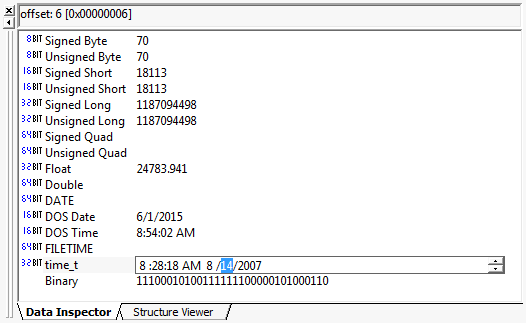
Data Inspector
Hex Workshop includes a Data Inspector, which displays the cursor data as decimal and binaries values. The Data Inspector interprets the hexadecimal data at the cursor position as a byte, unsigned byte, short, unsigned short, long, unsigned long, quad, unsigned quad, float, double, MSDOS date, MSDOS time, FILETIME, time_t, and binary. Within the Data Inspector you can modify the data at the cursor position by highlighting the data type/value you wish to change and hitting F2, right click and selecting "Edit Value" or clicking on value once again with the mouse (as you would in the Windows Explorer).
Right click on the data inspector window and select "Manage List" to hide and show data inspector types.
The Data Inspector can be toggled on/off (shown/hidden) from the Options Menu, the Toolbar, or by pressing Ctrl+I.