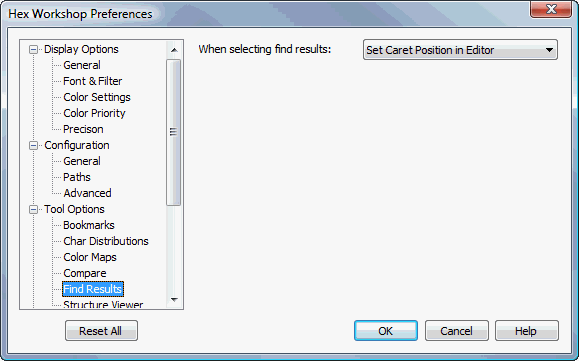
Find Results Tool Options Preferences
Hex Workshop Preferences Dialog is launched by either selecting "Preferences..." from the "Options" menu or by pressing the Preferences icon on the File Operations Toolbar.
Preferences are organized under 4 major categories: Display Options, Configuration, Tool Options, and Import/Export followed by sub-categories.
The "Reset All" button resets all preferences to default settings. The "Help" button displays help for selected preference sub-category.
Users can define the edit caret position and editor selection when selecting a find item from the Find tab of the Results Window. Available options are listed below:
|
Scroll Data Into View |
Scrolls the data into view, but does not move or adjust the caret position. |
|
Set Caret Position in Editor |
Scrolls the data into view and moves the caret position to the start of the bookmark. |
|
Select Data In Editor |
Scrolls the data into view and sets the editor selection to match the bookmark data. |