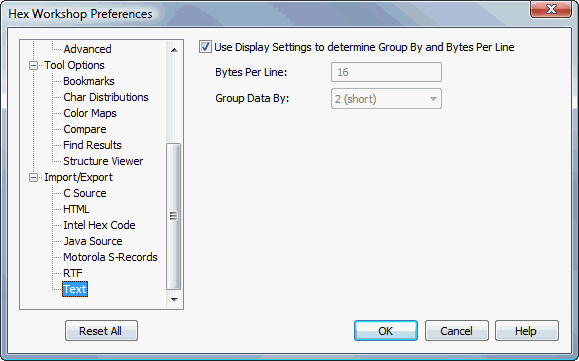
Text Import/Export Preferences
Hex Workshop Preferences Dialog is launched by either selecting "Preferences..." from the "Options" menu or by pressing the Preferences icon on the File Operations Toolbar.
Preferences are organized under 4 major categories: Display Options, Configuration, Tool Options, and Import/Export followed by sub-categories.
The "Reset All" button resets all preferences to default settings. The "Help" button displays help for selected preference sub-category.
Checking this setting will export your document with the same Bytes Per Line and Group By configuration as seen in the editor. The default is checked.
This setting controls the amount of data displayed on each line or row. Valid values range from 1 to 64, however, this value must be a multiple of the Group By setting. The default is 16.
The Group By controls how much data is grouped together before a breaking white space. Value options are 1, 2, 4, 8, or 16. The default is 2.